Nomadix Gateway Configuration
OVERVIEW
This a document is designed to help configure a Nomadix appliance to use the SNAPx Portal services. The Nomadix configuration needs to have a firmware version of 8.14x before proceeding.
SNAPx Equipment Table Requirements
- Type: Gateway,
- Vendor: Nomadix
- IP Address: Public IP Address
- SNMP IP Address: Private IP Address
- Protocol: HTTPS
- Username:
- Password:
- MAC Address:
- Status: Production
Configuration Steps
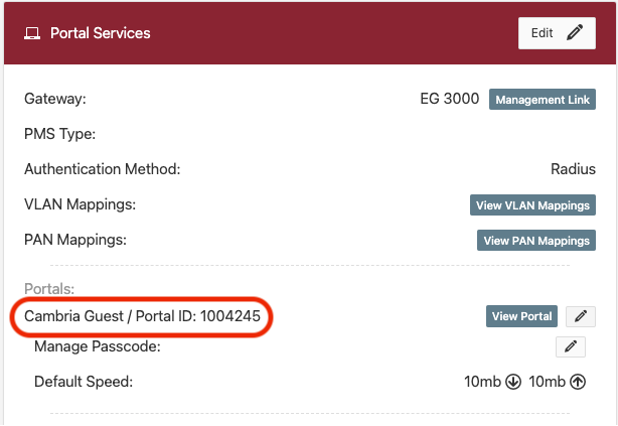
Log into SNAPx and proceed to the Portal you would like to use and capture the Portal ID.
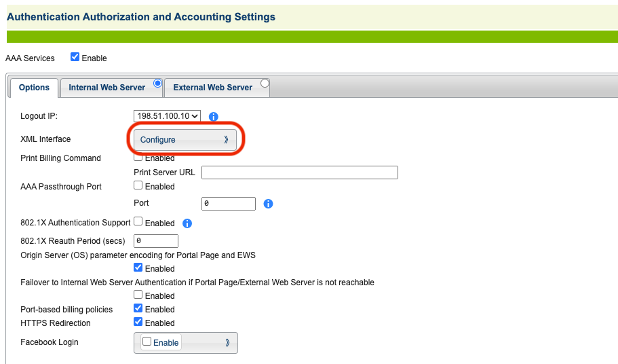
Log into the Nomadix and go to AAA->Options, then click on Configure next to XML Interface.
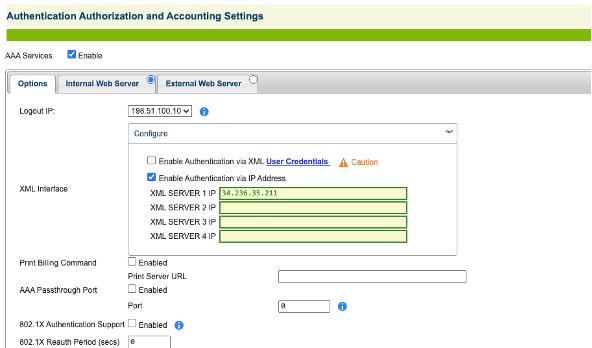
Enter in the XML Server IP assigned to your account (Egress IP).
Click on the Internal Web Server tab and replace the Portal Page URL your instance. Example,
https://{Your Instance}/guests/welcome/{Portal ID}The Portal XML POST URL should be set to
http://{Your Instance}/guests/auth_response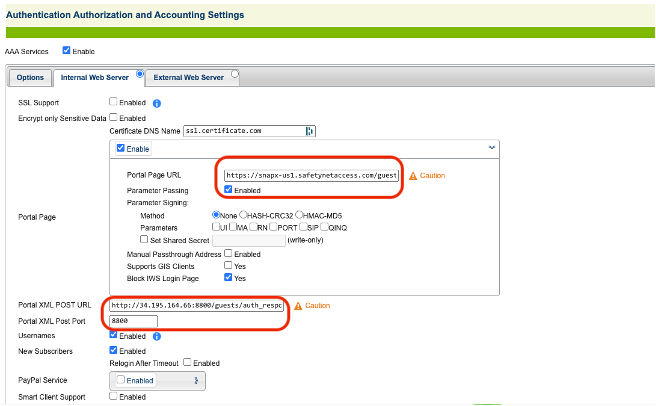
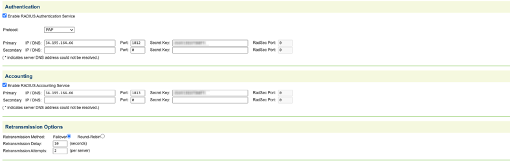
- Go to Realm-Based Routing and add a new RADIUS Profile Protocol: PAP Authentication IP: {Ingress IP} Port: 1812 Secret: {Your assigned Secret} Accounting IP: {Ingress IP} Port: 1813 Secret: {Your assigned Secret}